How to do the Hotel Lobby trend: the free route and the one-tap route
By the Rap Duo Video team
Here is how to do the Hotel Lobby trend for free or with AI: a CapCut template swaps your face onto the original clip and keeps its audio, while an AI studio turns one selfie of each friend into a brand-new song performed in the orange booth. Both routes, and the prompt tools in between, are below.
What a Hotel Lobby clip looks like
Every version borrows one frame: two performers in a small, bright orange room, each at a microphone, swapping lines as if they had rehearsed together for years. It comes from the live session Quavo and Takeoff filmed for the COLORS channel in 2022. In September 2026, short-video users began putting themselves, their friends and even their pets into that frame with AI, and the format spread across TikTok, Reels and Shorts.
Knowing the background makes the clip better. Our page on the Hotel Lobby song explains the original session, and the explainer on Quavo and Takeoff covers the uncle and nephew who made it.
Three ways, compared
The same orange frame can be reached in three ways, and they differ most in the sound and in how many faces change.
| Route | Cost | What you add | Sound | Mute risk | Effort |
|---|---|---|---|---|---|
| CapCut template | Free in the app | One photo; the template swaps a single face | The original recording | Higher: the commercial track can be claimed | Lowest: pick, add a photo, export |
| Prompt tools (Dreamina, Higgsfield) | Varies; see each tool's pricing page | Reference photos plus a written scene description | Depends on the tool; often added afterwards | Depends on the sound you add | Highest: prompts, retries and editing |
| Two-photo AI song (our studio) | Paid per song; see below | One photo of each person, an optional topic | A new song written for the two of you | Low: no commercial recording inside | Low: fill in the form and wait |
A fourth option needs no software at all: light a wall orange, set up two mics and film it yourselves. It is charming, but you both have to be in one room and know the words.
The free route: the CapCut template, step by step
- Install or update CapCut, the free editor, and open its Templates tab.
- Search for "Hotel Lobby". Several creators publish versions, so expect a list rather than a single result.
- Preview a few and pick one whose face tracking looks clean; a high use count is a decent sign that it works.
- Tap the option to use the template and choose a clear, front-facing selfie.
- Let the app process it, check the result and export the clip.
- Post it to TikTok with the trend's sound attached by the app.
Where to find the template
Besides searching inside CapCut, look at the clips already in your feed. Trend videos made from a template often show a CapCut link above the caption; tapping it opens that exact template. Template names change often, so search the trend's name rather than a creator's handle.
Two limits come with the free route. Only one face changes, so it is you next to one of the original performers rather than you and a friend. And the clip keeps the commercial recording, which a platform can mute or block in some regions when the rights holder claims it.
The two-photo route, step by step
This is the route our Hotel Lobby AI video maker is built for: two real people, one new song, the orange stage.
- Find a willing partner. Anyone who says yes to appearing can join: a best friend, a sibling, a partner or a coworker. You do not need to be in the same city, or even the same time zone.
- Upload one face photo each. Open the studio and put a sharp, front-facing picture of each person into the two slots. Only have a shot of the two of you together? Switch to the one-photo mode instead.
- Leave the stage on Tangerine Booth. The orange stage is selected from the start, so the trend's look needs no setup. If you want a shorter or longer song, pick a length between 5 and 15 seconds.
- Type a topic, or skip it. Write one line the verses should be about, such as a holiday that went wrong or a long-running joke. With no topic, the pair raps about being the best duo in the room.
- Confirm consent and create. Tick the box saying both people agreed, then tap Create our rap video. When the clip is ready, play the preview, unlock the full song and download it.
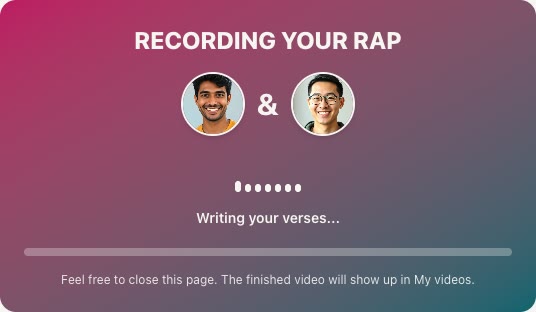
Every song is a 720p vertical (9:16) video, the shape TikTok, Reels and Shorts expect, so nothing needs cropping. A 12-second song uses 10 credits, and one song bought on its own is $7.99; the pricing page lists packs and plans. People who sign in with Google or GitHub can get one free preview where it is offered, and a render that fails is never charged. For every screen of the studio, see how to make an AI rap video.
Prompt tools: what they need from you
General AI image and video tools such as Dreamina and Higgsfield can also produce the look (tools and plans as listed on their sites on October 1, 2026). They are not built for this trend, so you supply the recipe yourself:
- Reference photos of each person, clear and evenly lit.
- A scene description: a small room with orange walls, two microphones on stands, both people facing camera, medium shot, soft studio light.
- Motion directions, such as one person rapping while the other nods along, then trading places.
- A sound plan, since many of these tools return silent or generic audio and the music is added later in an editor.
Expect a few attempts before the faces stay consistent. This route suits people who enjoy tinkering; if you want the song written and synced for you, the two-photo route is quicker.
Tips for a clip that lands
- Match your photos. Similar lighting, similar distance from the lens and both faces looking straight ahead keep the pair from looking cut and pasted.
- Skip sunglasses, face masks, low hat brims and heavy beauty filters. Ordinary daylight selfies give the cleanest faces.
- Pick a topic only the two of you would get. One specific memory makes a funnier verse than a general boast.
- Need a name for the act? Try the rap duo name generator and put it in your caption.
- Keep the caption short and post the vertical file as it is; the clip is the joke.
Before you post
- Consent. Only feature people who agreed, and never a celebrity, the original artists included. Our studio asks you to confirm consent before every song and refuses photos of anyone who looks underage.
- Sound. If your clip uses the original recording, expect that it may be muted somewhere. A new song avoids that problem.
- Respect. Takeoff died in November 2022, months after that orange session, and many fans watch these clips with mixed feelings. Crediting the original performance in your caption is a kind touch.
The trend also travels under the group's name, which is why we have a Migos AI page. Once you know the studio, it can make a birthday rap song or a friendly rap battle just as easily.