How to make an AI rap video in six steps, with screenshots
By the Rap Duo Video team
Here is how to make an AI rap video: add one photo of yourself and one of a friend, pick a stage, optionally type a topic and choose a length, then tap the button. The studio writes the lyrics, makes the beat and both voices, and animates your faces to match. Each step shows its screen.
Step 1: Add one photo of each rapper
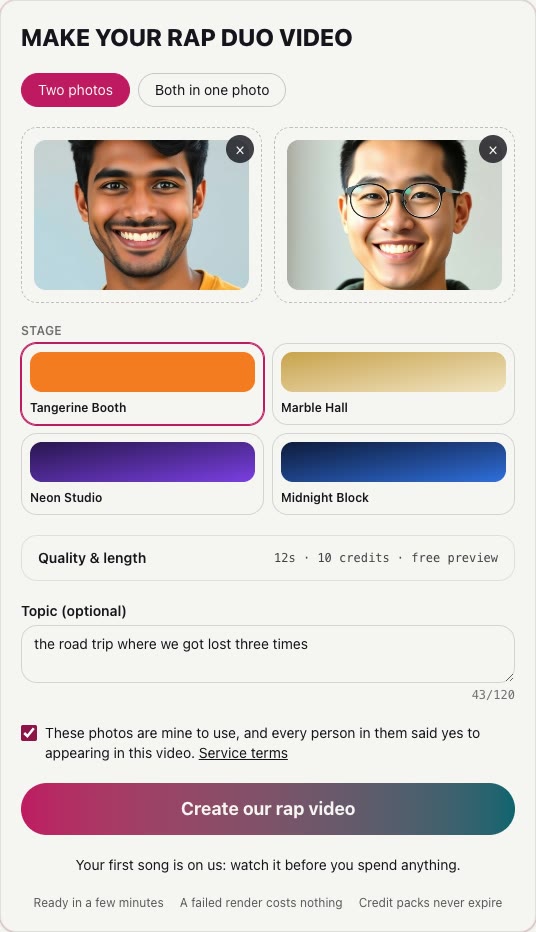
The studio sits at the top of the home page and of every tool page. Tap the first slot for your own photo and the second for your partner's. Pick sharp, front-facing pictures in which the whole face is visible, one face per photo. You can also drag the files onto the slots. Once you are signed in, each photo is checked as you add it: a picture with no clear face, or of anyone who looks underage, is removed with a short note explaining why.

Only have one picture of the two of you together? Switch to "Both in one photo" above the slots. Separate photos usually give each face more detail, so use them when you can.
Step 2: Pick the stage
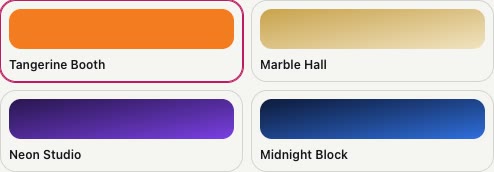
Choose where the duo performs: Tangerine Booth (orange, the default), Marble Hall, Neon Studio or Midnight Block. The orange booth starts selected because it is the look of the viral trend. Marble Hall suits a classy birthday message, Neon Studio a party clip and Midnight Block a battle or anything that should feel less like a meme.
Step 3: Choose the length
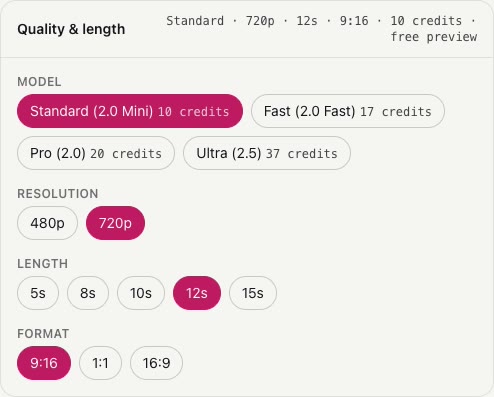
There is nothing else to configure: every song is a 720p vertical (9:16) video, the shape TikTok, Reels and Shorts expect. The only choice is the length. The standard 12-second song uses 10 credits; the shortest, 5 seconds, uses 5, and the longest, 15 seconds, uses 13.
Step 4: Give the rap a topic
Tap "+ add a topic for the verses" and write one line, for example a camping trip where everything went wrong. Specific details beat general ones: names, places and inside jokes make the verses sound written for you. The lyrics follow the language you type the topic in. Leave it empty and the pair simply raps about how good they are together.
The button stays locked until you tick the box confirming you have the right to use the photos and that everyone in them agreed. Never upload a celebrity or someone who has not said yes.
Step 5: Tap Create our rap video
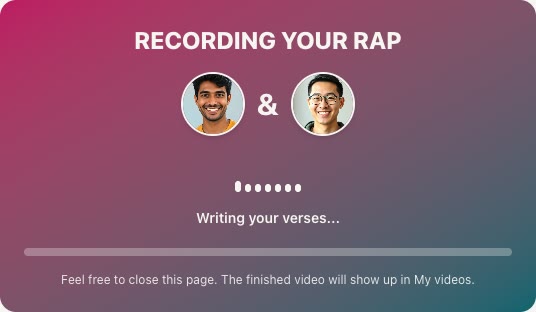
Signed out? The studio keeps what you entered, asks you to sign in (Google takes one tap) and then carries on by itself. The line under the button says what this video will use: your credits, a free preview if your account qualifies (one per person, for Google or GitHub sign-ins), or the plan it would take. Making the song and the video takes a few minutes; you can close the tab, and the result waits in My videos.
Step 6: Watch, unlock and download
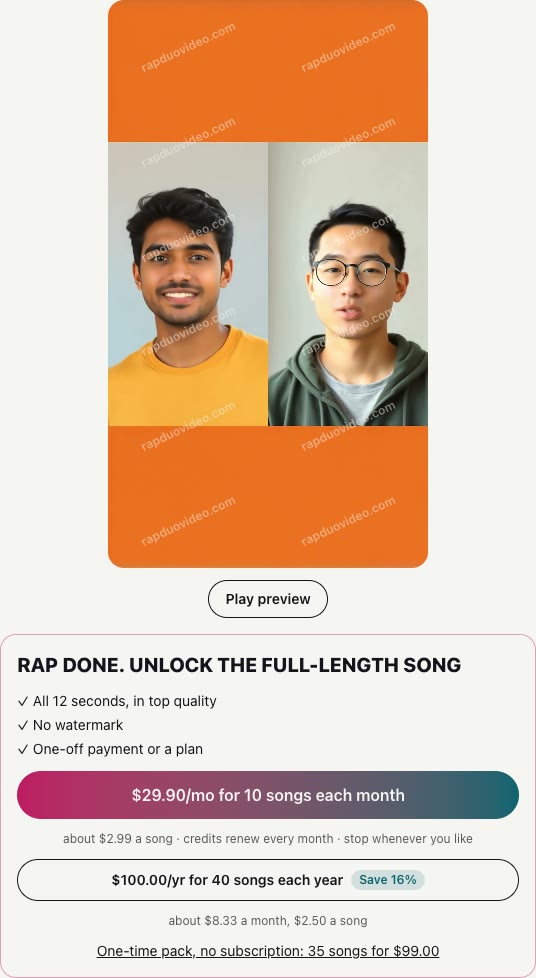
When the video is ready, the preview plays behind a watermark. Unlock it with credits or a plan to get the full song without the watermark, then press Download to save the file, or Share to send it straight to the friend who stars in it.
Other ways: a song tool plus a separate video tool
If you would rather build the video yourself, you can split the job in two. First make the track in a song generator such as Suno or Udio, which turn a text prompt or your own lyrics into a full song with vocals (as each describes itself on its site on October 1, 2026). Then bring that audio into a video tool that animates to music or generates shots you cut to it.
- What you gain: longer songs, more control over genre and your own lyrics, and the freedom to pick any visual style.
- What it costs you: two accounts, two sets of plans, and editing time. The rapping voice is generated by the song tool, so the faces in the video will not be singing it unless you also run a lip-sync step.
- Rights: read each tool's terms on commercial use and ownership before you post, since they differ between free and paid plans.
Our comparison of the best AI music video generators covers the video half, and the best AI rap generator guide covers the song half. The one-studio route above does both at once, with your two faces rapping.
What an AI rap video costs
Videos use credits. A standard song (Standard, 720p, 12 seconds) uses 10 credits, and the studio shows the figure for any other length before you tap. One song on its own is $7.99, a 5-song pack is $29 and a 15-song pack is $69, all with credits that never expire. Monthly plans give 4 songs for $19.90 or 12 songs for $49.90. Every option is on the pricing page, and a render that fails is never charged. To give a song to someone else, see gift a rap video.
When something goes wrong
- A photo was rejected. Choose a clearer, unfiltered picture of an adult facing the camera, with nothing covering the face.
- No face was found. Cartoons, mascots, masks and costumes do not work; use a real photo of the person.
- The request was declined. Try different photos or a milder topic. Your credits come back automatically.
- The faces look off. Use two photos with similar light and distance from the camera, then make another.
Where to go next
For the viral orange-booth version, read how to do the Hotel Lobby trend. If the song matters more than the trend, start from the AI music video generator or the AI rap generator. Planning a party? The birthday rap song page has ideas, and two rivals can settle it with the AI rap battle generator.